Knowledge Center
Technology Insights · Industry Trends · Product Knowledge · Application Notes · News & Updates
In the daily work of network engineers, switches are among the most frequently encountered devices.
Configuring VLANs, planning trunks, troubleshooting loops, adjusting link aggregation, optimizing link bandwidth...
These operations have become "muscle memory" for many network engineers.
But if we delve deeper into this question: what category do the switches you configure every day actually belong to?
Are they access switches or core switches?
Layer 2 switches or Layer 3 switches?
Campus switches or data center switches?
Many people might be able to give some answers, but few have a comprehensive understanding of the switch classification system.
In reality, switches are not a single device, but rather a category formed by multiple dimensions such as application scenarios, network layers, functional capabilities, performance specifications, and hardware architecture.
Understanding these classifications not only helps us to better understand network structures but also provides more valuable references when selecting equipment, planning networks, and troubleshooting.
At its most basic level, the main function of a switch is to forward data within a local area network (LAN) to enable communication between devices. Compared to routers, switches focus more on data forwarding within the LAN than on path selection across networks.
1. The basic working principle of a switch
Switches forward data based on MAC addresses, not IP addresses.
In actual operation, the switch maintains a MAC address table, which records the port corresponding to each MAC address.
When a switch receives a data frame, it goes through the following process:
Learn the source MAC address and record it in the MAC address table.
Query the port corresponding to the target MAC address.
If the target port is found, perform a redirected forwarding.
If the target MAC address is not found, perform flooding.
This mechanism determines the core position of switches in Layer 2 networks.
2. Switch expansion functions
As network scale expands, the functions of switches also become more diverse.
In addition to basic data forwarding functions, modern switches typically also support:
VLAN (Virtual Local Area Network)
Spanning Tree Protocol (STP / RSTP / MSTP)
Link Aggregation (LACP)
QoS (Quality of Service) control
ACL (Access Control List)
Network security related functions
These features have enabled switches to evolve from "simple forwarding devices" into "network devices with certain control capabilities".
From the perspective of usage environment and application scenarios, switches can be divided into several typical types.
This classification method mainly reflects the differences in the "service objects" and "usage environments" of switches.
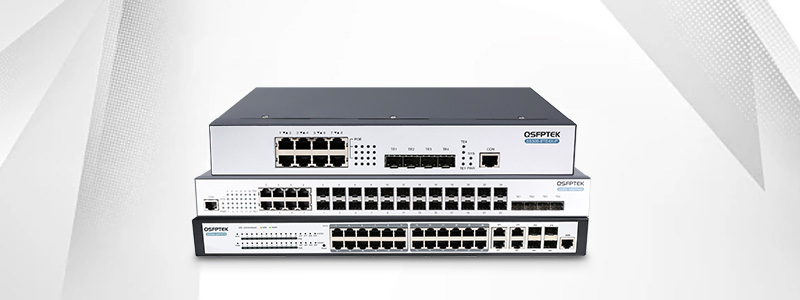
1. Campus Switch
Campus switches are mainly used in campus networks of enterprises, schools, government agencies, etc.
The characteristics of this type of network are:
Campus switches are typically distributed across the access layer, aggregation layer, and core layer, covering the entire network structure from the terminal to the core.
2. Data Center Switches
Data center switches are primarily used in IDC (Internet Data Center) rooms, cloud computing platforms, and large-scale server clusters.
Compared to campus networks, data center networks focus more on:
In data center scenarios, switches typically adopt a Spine-Leaf architecture and support new network technologies such as VXLAN and EVPN.
3. Industrial switches
Industrial switches are mainly used in special scenarios such as industrial control, transportation, and power.
The characteristics of this type of switch are:
In industrial networks, stability is often more important than performance.
4. Virtual Switch
With the development of virtualization and cloud computing, switches are no longer limited to hardware devices.
A virtual switch is a type of switch that runs at the software level, for example:
Virtual switches are primarily used for network communication between virtual machines and are an important component of cloud computing networks.
In enterprise networks, switches are typically deployed according to network layers.
This classification method is mainly used to describe the location and role of switches in the network.
1. Access layer switch
Access layer switches are located at the very edge of the network and are directly connected to terminal devices.
Common connection objects include:
The characteristics of access layer switches are:
2. Aggregation layer switch
Aggregation layer switches are located between the access layer and the core layer, and are mainly used to aggregate traffic from the access layer.
Its main features include:
3. Core layer switch
The core layer switch is located at the center of the network and is the backbone of the entire network.
Core layer switches typically have:
In large networks, core layer switches often adopt a chassis structure.
From a protocol layer perspective, switches can be divided into Layer 2 switches and Layer 3 switches.
1. Layer 2 switch
Layer 2 switches operate at Layer 2 of the OSI model, namely the data link layer.
Its main functions include:
The characteristics of a Layer 2 switch are:
2. Layer 3 switch
Layer 3 switches operate at Layer 3 of the OSI model, namely the network layer.
In addition to Layer 2 functionality, Layer 3 switches also have:
Layer 3 switches have become the mainstream equipment in enterprise networks.
In many cases, the routing function of an enterprise's internal network is mainly handled by Layer 3 switches, rather than traditional routers.
The performance of a switch is usually closely related to its port speed.
Based on port speed, switches can be categorized as follows:
1. 100Mbps switch
The port speed of a 100 Mbps switch is 100 Mbps.
Currently mainly used for:
2. Gigabit switch
The port speed of a gigabit switch is 1 Gbps.
This is the most common type of switch in enterprise networks today.
3. 10 Gigabit Switch
The port speed of the 10 Gigabit switch is 10 Gbps.
Mainly used for:
4. Multi-rate switch
Multi-rate switches support multiple rates, such as: 100M / 1G / 2.5G / 5G / 10G
This type of switch is typically used in network environments that support WiFi 6/WiFi 7.
From a hardware structure perspective, switches can be divided into box switches and chassis switches.
1. Box switch
Box-type switches feature an integrated design and a fixed number of ports.
Its characteristics are:
Box-type switches are typically used for:
2. chassis switch
The chassis switch features a modular design, allowing for the plug-and-play of boards, power supplies, and fans.
Its characteristics are:
Chassis switches are typically used for:
Different switches have significantly different management capabilities.
1. Unmanaged switch
Unmanaged switches typically do not support configuration functions.
Its characteristics are:
Applicable to:
2. Web-managed switch
Web-managed switches support management via a web browser.
Its characteristics are:
Applicable to:
3. Fully managed switch
Fully managed switches support multiple management methods, such as:
This type of switch is typically used for:
In practical applications, a single switch often belongs to multiple categories simultaneously.
For example:
These descriptions are actually a combination of multiple classification dimensions.
Understanding this helps us to better understand the role of switches in a network.
To more intuitively understand the classification system of switches, a table can be used to summarize it.
| Multiple ratesClassification Dimensions | Main types | explanation |
|---|---|---|
| Application scenarios | Campus Switch | For enterprise and campus networks |
| Data center switches | For high-performance computing environments | |
| Industrial switches | For industrial scenarios | |
| Virtual Switch | For cloud and virtualization | |
| Network layer | Access Switch | Connecting terminal devices |
| Aggregation Switch | Aggregating traffic | |
| Core switch | Network backbone | |
| Functional hierarchy | Layer 2 switch | Layer 2 forwarding |
| Layer 3 switch | Supports routing | |
| Port speed | 100M | 100 Mbps |
| 1000M | 1 Gbps | |
| 10000M | 10 Gbps | |
| Multi-rate | Multiple rates | |
| Hardware Structure | Box switch | Integrated design |
| chassis switch | Modular design | |
| Management methods | Unmanaged | Plug and play |
| Web-based management | Visual management | |
| Full management | Enterprise-level management |

APEX GROUP LIMITED
Phone: 85298213834
WhatsApp: 85298213834
Email: Info@apexallinone.com